
NinjaTrader 8 Strategy Utilities
The Complete Strategy Management Suite
Three tools. One workflow. Load strategies in seconds, generate thousands of variations, and monitor live performance — all outside of NinjaTrader’s interface.
Used together, these utilities replace hours of manual work every testing session.
Step 1
Strategy Loader
Import your NT8 strategies in seconds
Step 2
Strategy Generator
Bulk-create parameter variations
Step 3
Strategy Performance
Monitor live results outside NT8
Tool 01
Ninja Strategy Loader — $85

What It Does
Loading NinjaTrader strategies one record at a time is slow, tedious, and error-prone. The Strategy Loader eliminates that process entirely — importing directly from a NinjaTrader optimization export into the Strategy Analyzer or Chart window in seconds.
- Load directly into the NT8 Strategy Tab or Chart window
- Supports Market Replay, Live Simulation, and Live Trading modes
- Works from any NinjaTrader Optimization Export spreadsheet
- Select account, press GO — the full XML parameter set transfers automatically
- Repeat for each record — no retyping, no errors
Demo
Watch the Strategy Loader in Action
How It Works
4-Step Loading Process
Step 1
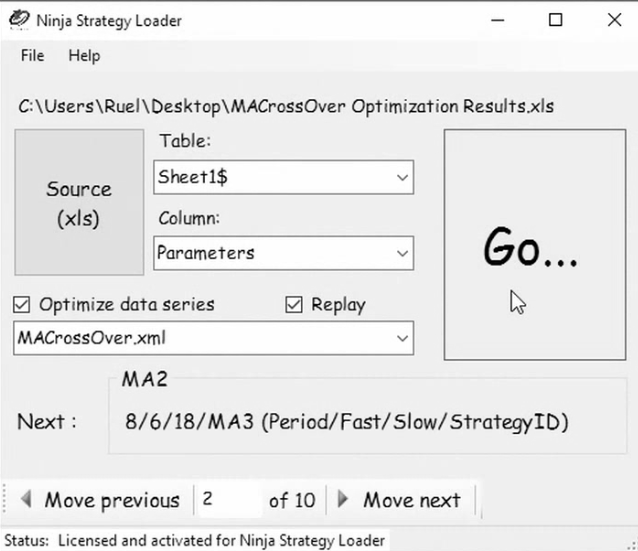
Load the Spreadsheet from NinjaTrader Optimization Export
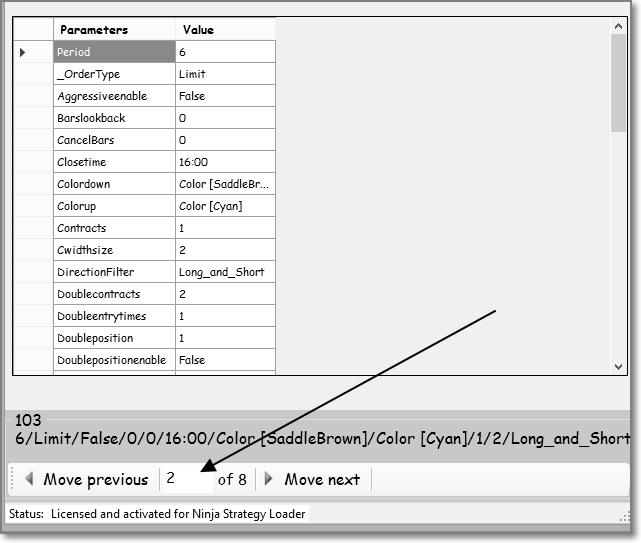
Find the account number you want to load. Press GO — the full contents of the NinjaTrader Strategy XML file are transferred automatically from spreadsheet format into NinjaTrader and set up as a ready-to-run strategy.
Step 2
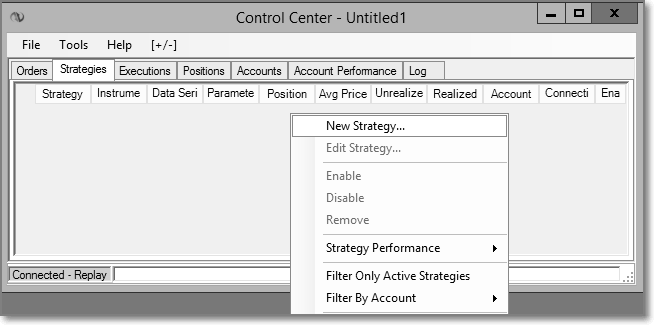
Open a New Strategy in NinjaTrader
Find the strategy you want to insert the data into.
Step 3
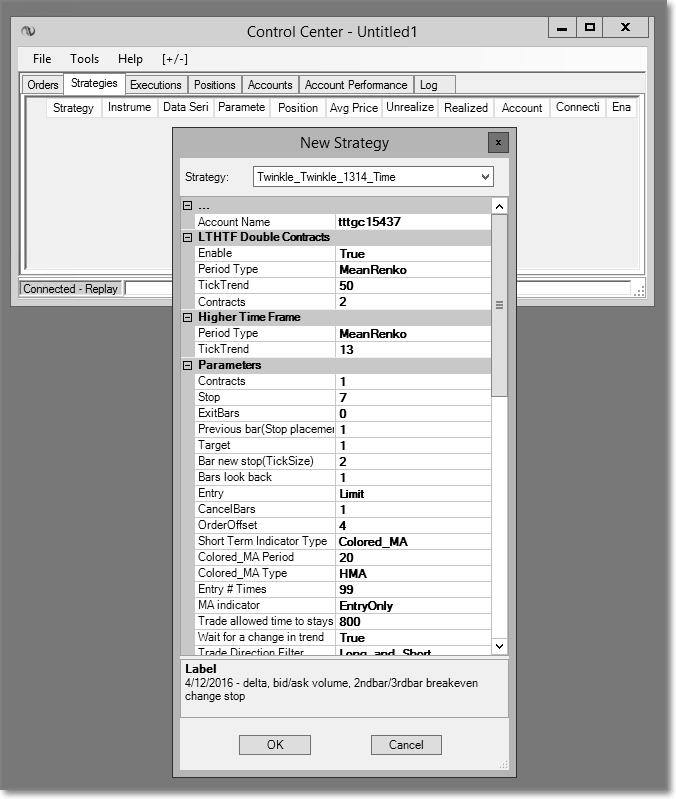
View Transferred Data in NinjaTrader
Press OK to insert the data into the strategy. All parameters transfer exactly as exported — no manual entry, no mistakes.
Step 4
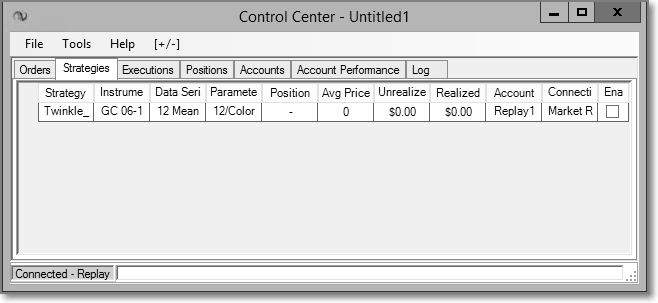
Repeat the Process for Each Record
Select the next record and repeat. Load an entire strategy library in a fraction of the time manual entry would take.
Installation
How to Install Strategy Loader
Usage
How to Use Strategy Loader
Technical Reference
What’s Inside the Imported Parameters File?
Every strategy record contains a full PARAMETERS string holding all configuration values. The Loader transfers this entire string into NinjaTrader in one operation. Here’s a real example of what a parameters field contains:
| Parameter | Example Value |
|---|---|
| Period | 12 |
| StrategyID | tttimezb3316 |
| IndicatorType | Colored_MA |
| OrderType | Limit |
| DirectionFilter | Long_and_Short |
| Contracts | 1 |
| ProfitTarget | 30000 |
| StopLoss | 8 |
| Periodtype | MeanRenko |
| STMAType | HMA |
| StartTime | 0:00 |
| Closetime | 16:00 |
| Parameter | Example Value |
|---|---|
| Barslookback | 1 |
| CancelBars | 1 |
| Coralfilterperiod | 34 |
| LossCutOff | 1500 |
| Pnlcalculation | Per_Session |
| ReEntry | 99 |
| TickReversal | 14 |
| TickTrend | 13 |
| TradeStayLive | 1450 |
| Usematype | EntryOnly |
| Exitbars | 0 |
| Waitforachangeintrend | FALSE |
Tool 02 — Included in the $135 Bundle
Ninja Strategy Generator

What It Does
The Generator takes your existing strategy parameters and creates new variations at scale. Import NinjaTrader optimization results, change any field across your entire database in one operation, and generate hundreds or thousands of new strategies to test — without touching a single one manually.
- Accepts exports from NT8 Strategy Performance and Strategy Optimization
- Full import/export compatibility with the Strategy Loader and Performance tools
- Four generation modes: Single Value, Single Record, Multiple Records, Custom
- 50 records × 5 profit target variations = 250 new strategies in one operation
Demo
Strategy Loader & Generator — Full Overview
What the Generator Modifies
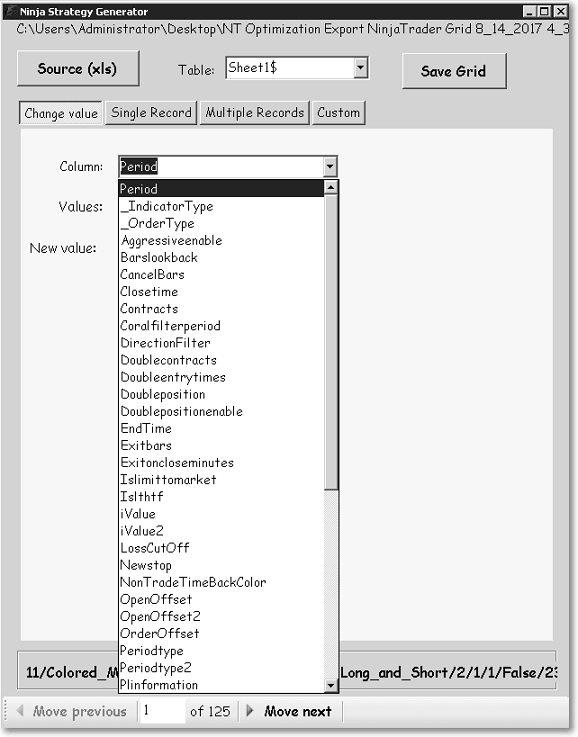
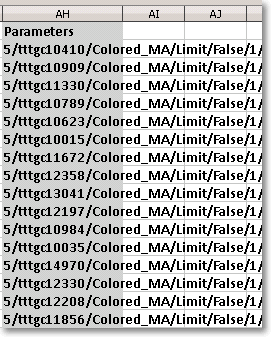
The PARAMETERS field holds every configuration value in your strategy record. The Generator targets specific fields within that string — changing them individually or in bulk — and writes the result back into a new set of importable strategy records. All changes apply to the same document; nothing is lost.

Generation Modes
Four Ways to Generate New Strategies
Mode 1
Change a Single Value
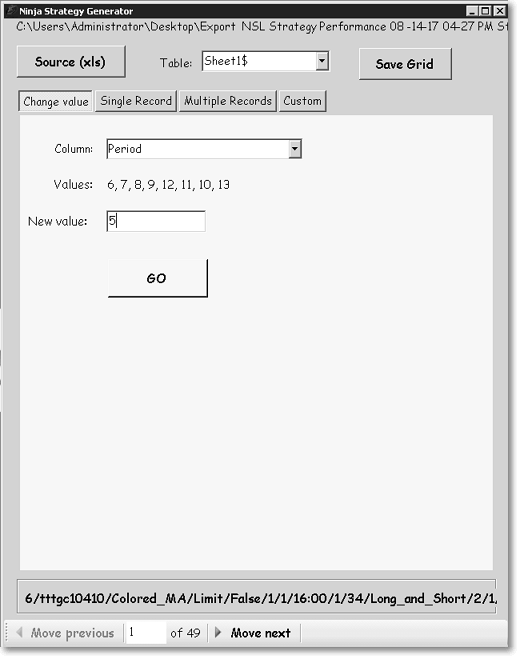
Change one specific field value across every strategy in your database simultaneously. Example: set the Data Period to 5 for all records in a single operation.
Mode 2
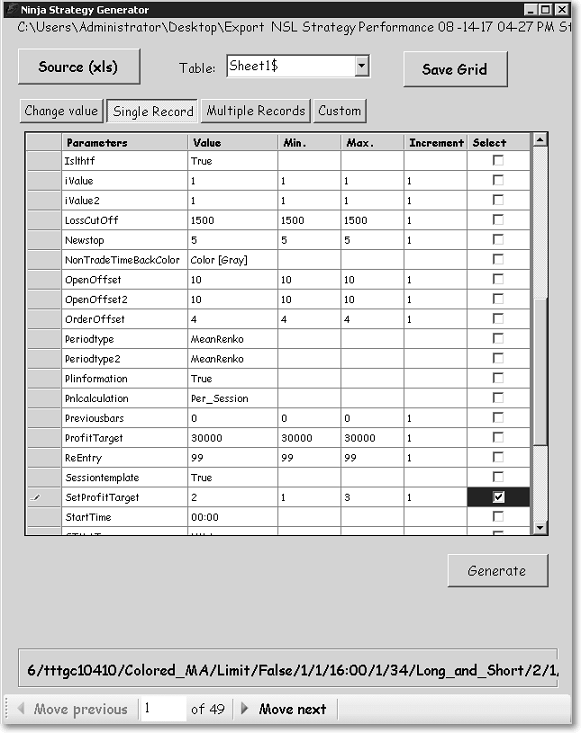
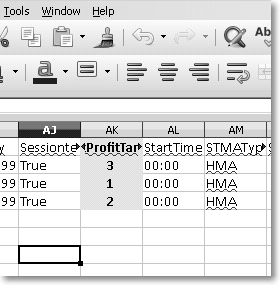
Change a Single Record
Take one specific strategy record and create multiple variations from it. Example: generate 3 new records from strategy tttgc10410 using profit targets of 1, 2, and 3.
Mode 3
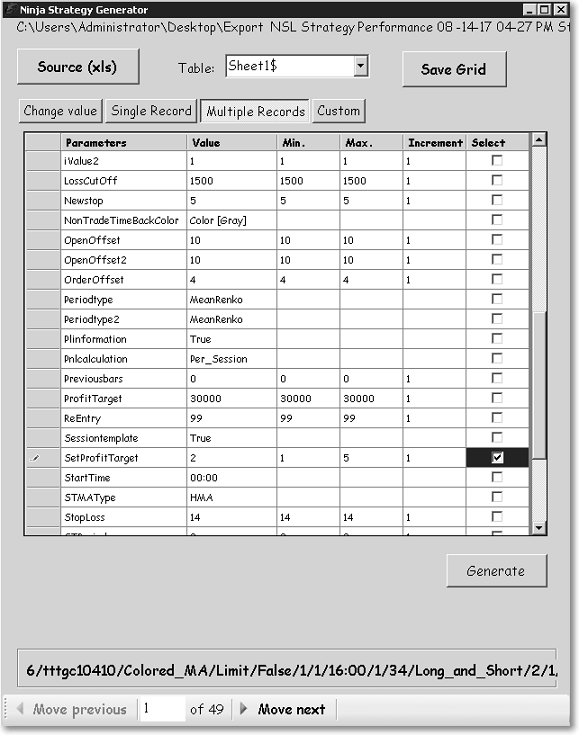
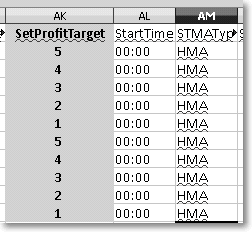
Change Multiple Records
Apply a variation across your entire database at once. Example: take 50 strategies and generate 5 new records per strategy using different profit targets — producing 250 new strategies to test in one step.
Mode 4
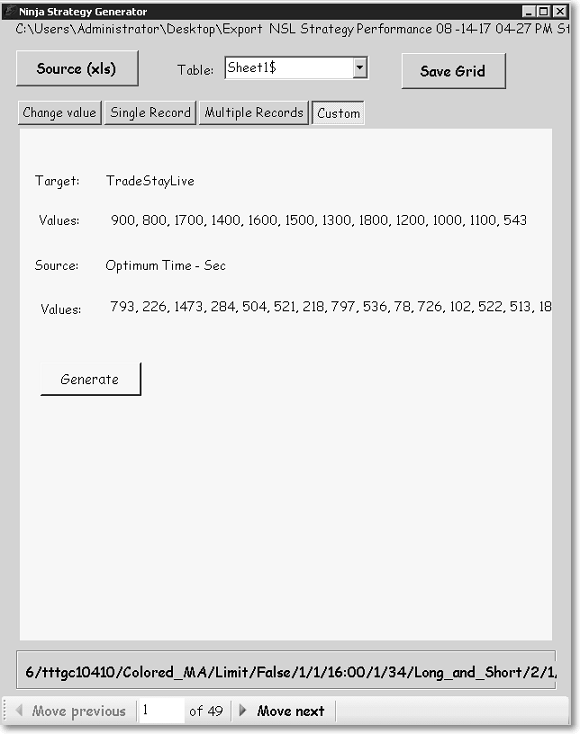
Custom — Field-to-Field Replace
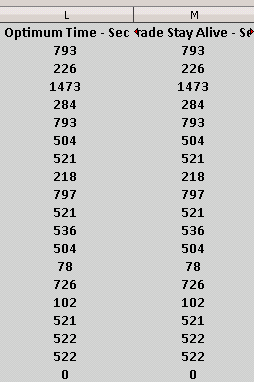
A special mode that replaces one field’s values with the values from another field across all records. Useful for transferring optimized time-in-trade values (e.g. the optimal hold duration when a target or stop hasn’t been hit) into a new exit variable across your entire strategy database.
Installation
How to Install Strategy Generator
Usage
How to Use Strategy Generator
Tool 03
Ninja Strategy Performance — $85

What It Does
Monitor live NinjaTrader 8 strategy performance in a dedicated external window — without switching focus away from your charts. Runs in a completely separate processor core so NinjaTrader’s performance is never affected by the monitoring overhead.
- Works across Market Replay, Live Simulation, and Live Trading
- Runs on a separate CPU core — zero drag on NinjaTrader
- Auto-saves performance data every 1–24 hours to the NT8 folder
- Commission-aware calculations with a custom commission rate input
- Full export to spreadsheet — Summary and individual Trade data
- Adjustable columns — reorder, resize, and save your preferred layout
Installation
How to Install Strategy Performance
Usage
How to Use Strategy Performance
Module 1
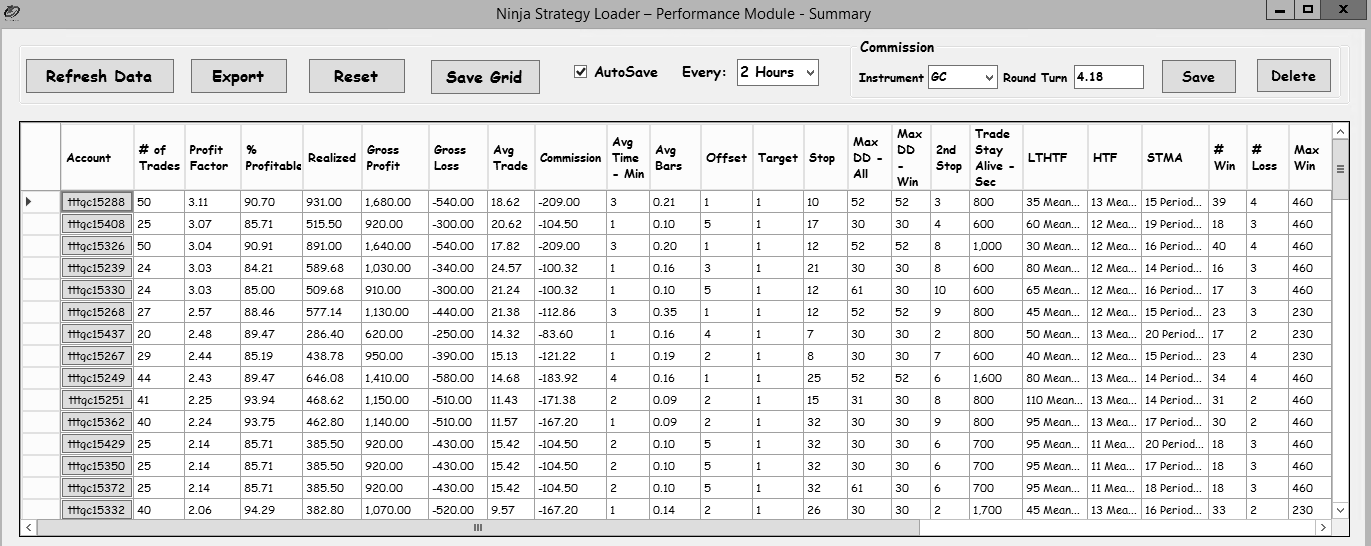
Performance Summary Module
- Adjustable column widths and display order — save your preferred layout
- Auto-save every 1–24 hours directly into the NinjaTrader data folder
- Commission-inclusive P&L calculations with a custom rate input
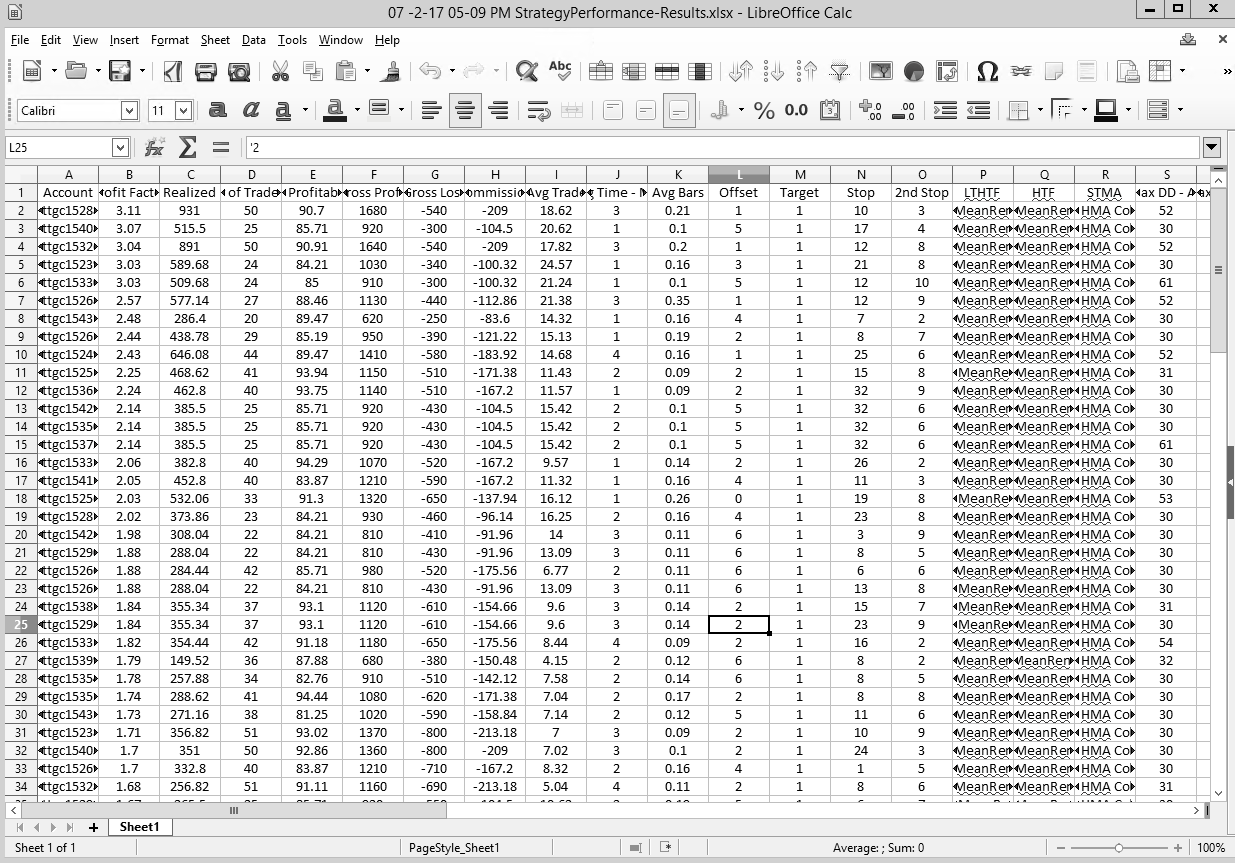
Export Format
Module 2
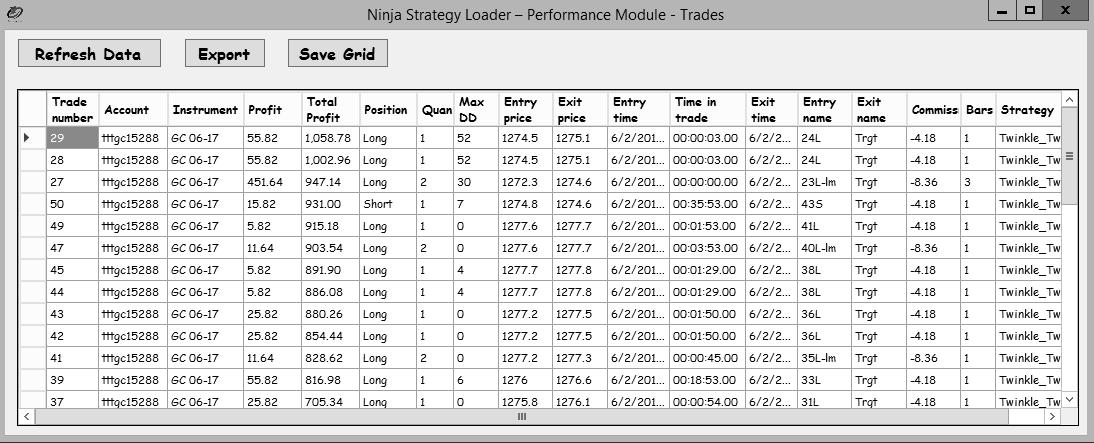
Trades Detail Module
- Drill into individual trades linked to any Summary record
- Adjustable columns — reorder, resize, and save preferred layout
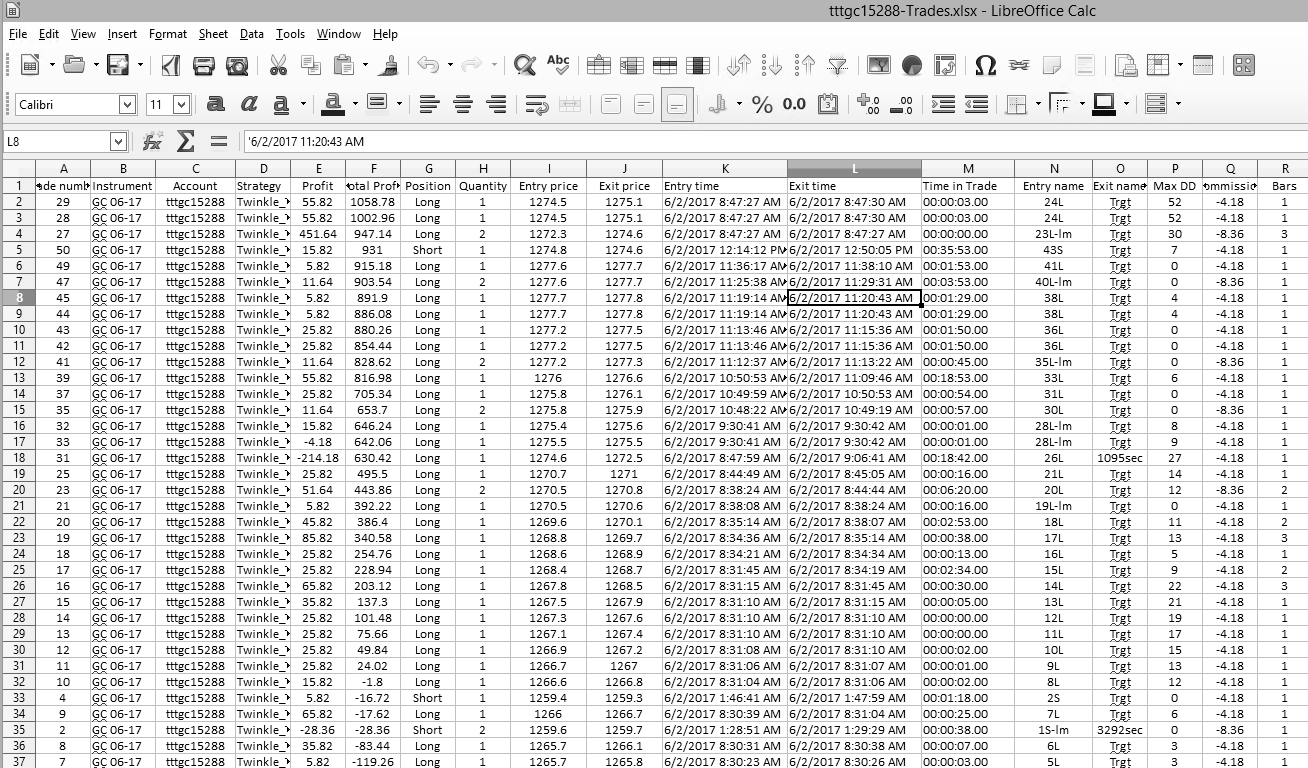
- Export to spreadsheet for deeper analysis
Export Format
Data Reference
Fields Captured in the Trades Export
| Field | Example |
|---|---|
| Trade Number | 1 |
| Instrument | ZB 06-17 |
| Account | tttimezb2117 |
| Strategy | Twinkle_Twinkle_1314 |
| Profit | 56.74 |
| Total Profit | 59.19 |
| Position | Short |
| Quantity | 2 |
| Commission | -5.76 |
| Field | Example |
|---|---|
| Entry Price | 151.906 |
| Exit Price | 151.875 |
| Entry Time | 5/4/2017 8:46 AM |
| Exit Time | 5/4/2017 8:47 AM |
| Time in Trade (sec) | 63 |
| Entry Name | 25S |
| Exit Name | Trgt |
| Max Drawdown | 3 |
| Bars in Trade | 1 |
Ready to Get Started?
Get the Full Strategy Management Suite
One-time purchase. Instant download. Compatible with NinjaTrader 8 on Windows.
One-time purchase · Includes future upgrades · NinjaTrader 8 · Windows PC